
Track billable work once
Capture billable work as you go and keep time ready for invoicing.
Import approved time into invoice lines, review unbilled work, and bill faster without rebuilding invoices by hand.
Built on the real invoice workflow in Billtivo.
One workflow from tracked time to paid invoice
Billtivo connects tracked time, clients, projects, reports, invoice lines, Pay Now, reminders, and paid status.
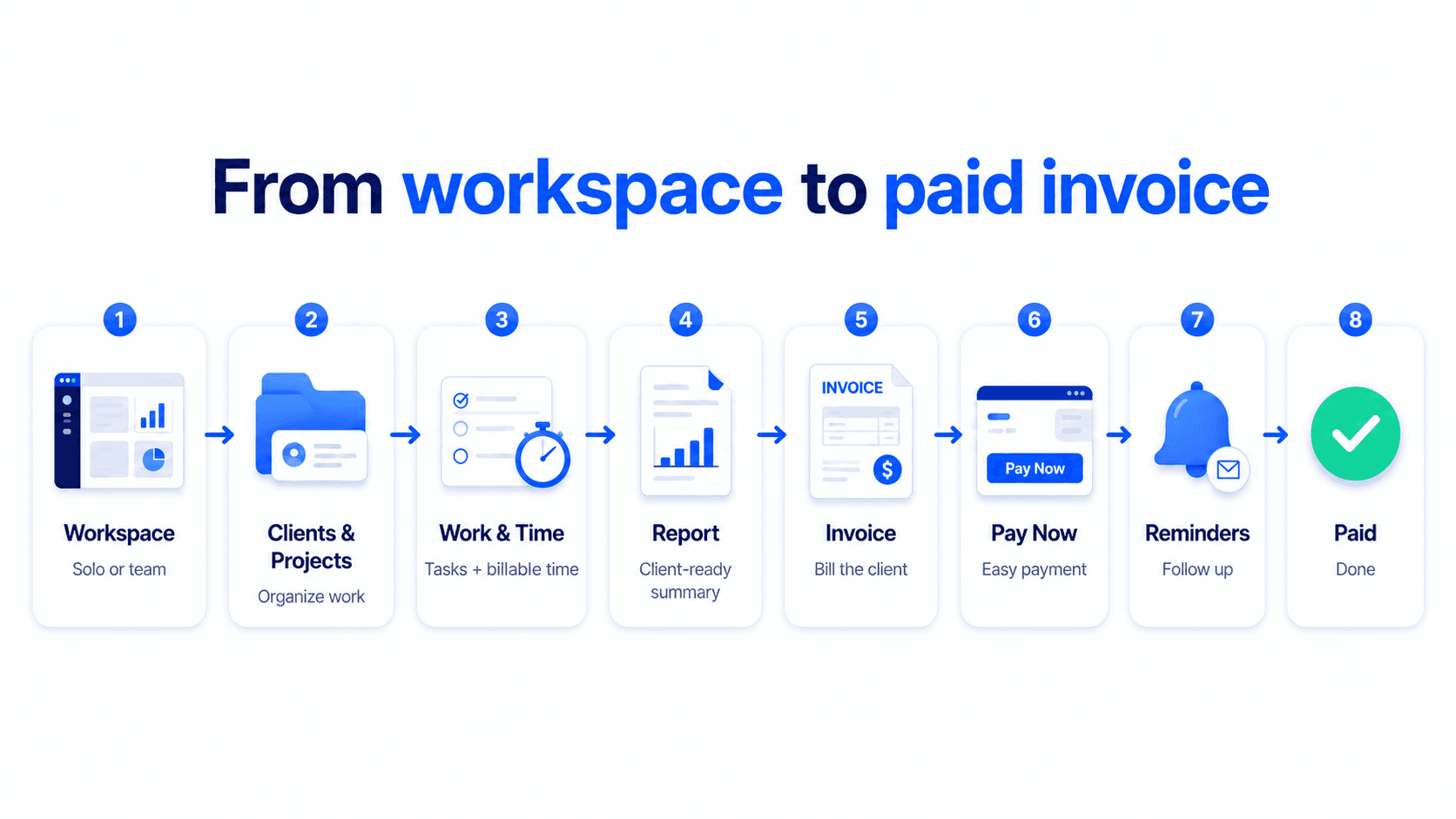
Capture billable work as you go and keep time ready for invoicing.
See what has not been billed yet before it becomes invoice lines.
Import tracked time directly into the invoice flow instead of rebuilding it line by line.
See the real time-to-invoice workflow
Import tracked time into invoice lines, review totals, and send invoices from the same workflow.
Capture billable work once so it is ready for invoicing.
Bring tracked time into invoice lines instead of retyping work manually.
Review the invoice and share it after tracked time becomes billable lines.
Time-to-invoice workflow
The right proof for this page is time entries, totals, and invoice-ready lines instead of a full invoice editor.
Hours are grouped by client, project, and work note.
Only approved time moves into the invoice.
Hours become clear invoice-ready amounts.
Invoice lines
Approved work in May
9.8h × $100/hr
Track time, review unbilled work, then create the invoice using the Billtivo invoice flow.
Yes. Billtivo supports reviewing unbilled time before turning it into invoice lines.
Yes. After time is imported into the invoice flow, you can preview, create, and share the invoice.
Related time-to-invoice workflows
Turning time into invoices is one part of the workflow. Explore how tracked work connects to assigned work, service team billing, payment follow-up, and free billing tools.
Create an invoice from billable work, or calculate hours for free before you bill.