
Free client approval tool
Free Client Approval Request Email Generator
Create a clear approval request email before you invoice. Choose the context, tone, and copy a ready-to-send message.
Want to turn approved work into an invoice?
Use Billtivo to connect client-ready reports, approvals, invoices, and payment follow-ups in one workflow.
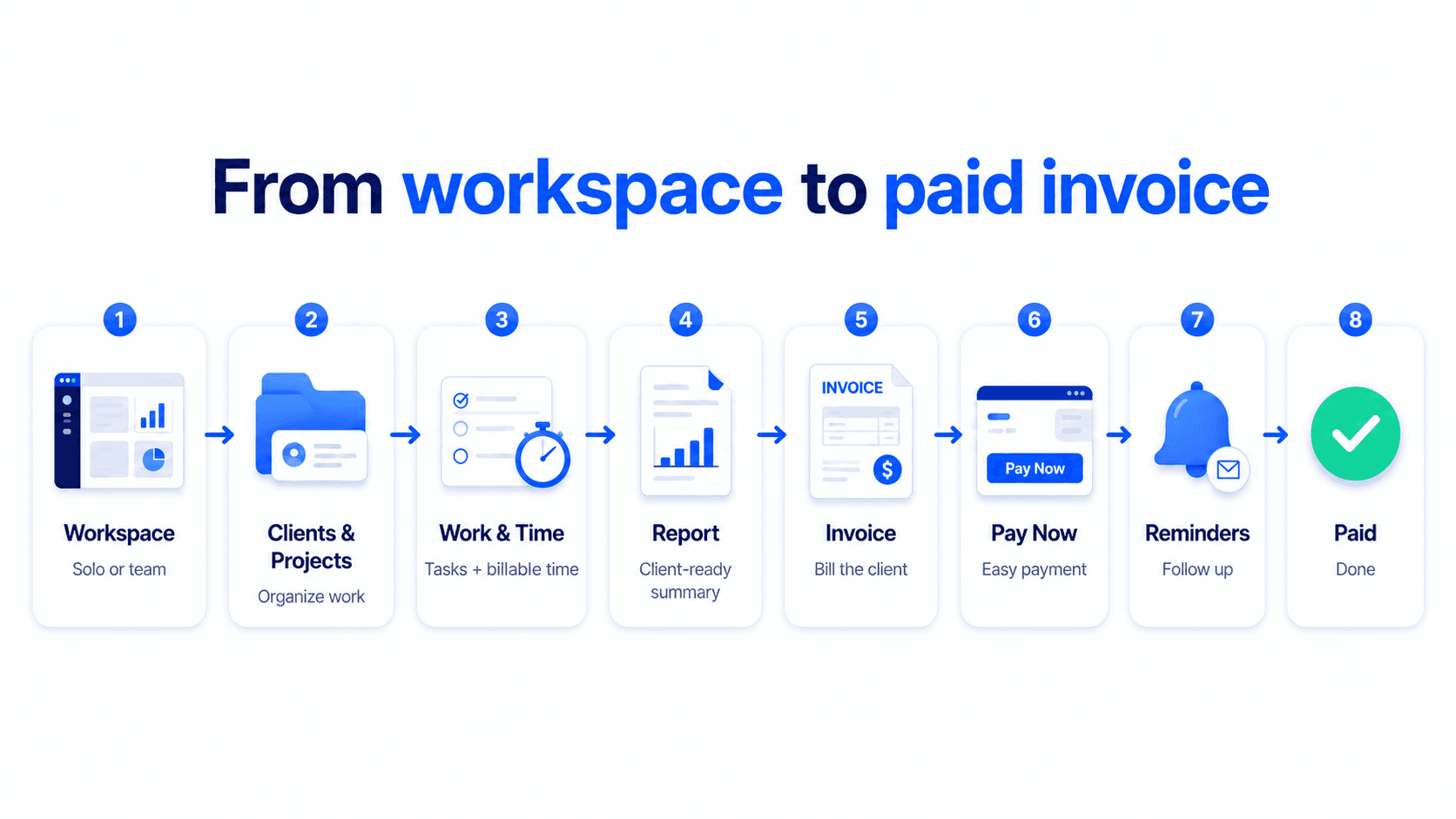
From client approval to paid invoice
Turn client approval into a paid invoice
Billtivo connects client approval, completed work, client-ready reports, invoices, Pay Now, reminders, and paid status.
Related approval-to-invoice workflows
Connect client approval to invoice-ready work
These pages explain how approval requests, client updates, work reports, and approved work move toward invoice creation.
Client approval to invoice workflow
Use approval as the handoff between reviewed work and invoice creation.
Approved work to invoice
Turn client-approved work into an invoice with clear billing context.
Client update template before invoice
Send a client update before billing to reduce confusion and disputes.
Send work report to client
Share completed work and next steps before asking for invoice approval.
Invoice-ready work report template
Prepare a work report that already includes invoice-ready context.
STEP 1
Summarize the work
Add the project, deliverables, and any report link the client should review.
STEP 2
Request approval
Choose a friendly, professional, or firm tone depending on how urgent sign-off is.
STEP 3
Invoice approved work
Once the client approves, create the invoice and follow up on payment.
FAQ
Client approval request email FAQ
Does this tool send the email for me?
No. It generates a copy-ready subject and email body. You decide where to send it.
When should I request client approval?
Request approval when a deliverable, milestone, or final piece of work is ready before preparing the invoice.
Why ask for approval before invoicing?
It reduces confusion, prevents disputes, and confirms that the client reviewed the work before receiving the invoice.
Can I connect this to an invoice?
Yes. You can create a client work report, request approval, and then turn approved work into an invoice with Billtivo.