
Free estimate and quote tool
Free Estimate and Quote Generator
Create a clear estimate or quote before work starts. Share the scope, price, and approval note with your client, then turn approved work into an invoice.
Line items
Turn an approved quote into an invoice
When the client approves the estimate, use Billtivo to create the invoice and follow up on payment.
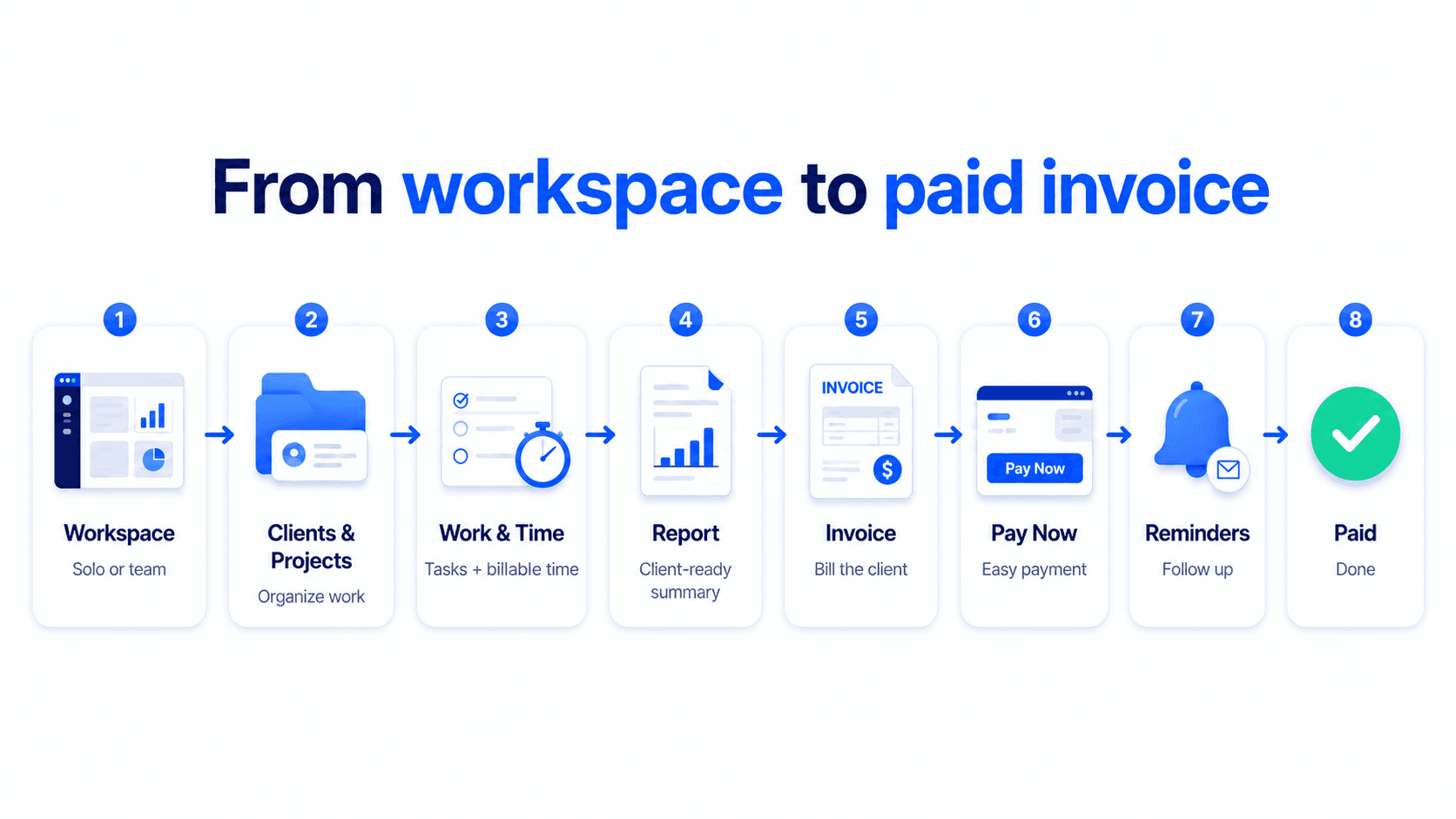
From approved quote to paid invoice
Turn an approved quote into a paid invoice
Billtivo connects estimates, client approval, billable work, invoices, Pay Now, reminders, and paid status.
Related estimate and quote workflows
Keep the quote connected to invoicing
These pages explain how a quote, estimate, or service quote can become the first step before invoice creation and payment follow-up.
Quote to invoice workflow
Start with a quote, get client approval, create the invoice, and follow up until paid.
Estimate generator for small business
Create a small business estimate before turning approved work into an invoice.
Service quote template
Use a service quote structure with scope, line items, pricing, and approval text.
STEP 1
Define scope and price
List services, hours, rates, and terms before work starts.
STEP 2
Request client approval
Turn the estimate into a clear agreement before doing the work.
STEP 3
Invoice approved work
When the client approves, create the invoice and follow up on payment.
FAQ
Estimate and quote generator FAQ
What is the difference between an estimate and a quote?
An estimate is usually an approximate price. A quote is usually a firmer offer for a defined scope.
Can I use this before invoicing?
Yes. Use the estimate to confirm scope and price before turning approved work into an invoice.
Does this store my data?
No. The tool generates the text in your browser and does not send or store your input.
Can I create an invoice after approval?
Yes. Once the client approves the estimate or quote, you can create the invoice in Billtivo.